Three markets each solved part of the job, and none served a facilitator inside a company.
Workshops and user tests are part of the job, and the results lived on sticky notes, whiteboard photos and spreadsheets.
Afterward the whiteboard was photographed and the results were retyped into a spreadsheet. Before a direction was committed to, the tools that claimed to replace that process were audited.
| Market | Who sells there | Entry price | What was missing |
|---|---|---|---|
| Live engagement | Mentimeter, Slido, AhaSlides, Kahoot, Poll Everywhere | About $12 to $19 a month | The tools sell the same polls, quizzes, Q&A and word clouds, and compete on brand and customer logos. Kahoot reads as classroom software to a corporate buyer. |
| UX research | Maze, UserTesting | Free tier up to enterprise contracts | Strong research tools with no live presentation product, priced and run separately from workshops. |
| Jury selection | Trial consulting firms | $10,000 to $75,000 per case | Manual consulting work. No modern self-serve software was found. |
That gap set the strategy. Mentimeter claims more than 500 million users, so competing as the best live poll tool would mean competing on brand recognition, which a solo product cannot win. None of the seven competitors audited offered live engagement, UX research and jury selection in one account.
“How might we let a facilitator collect group input live, without turning the meeting into a quiz show?”
One session engine with four products built on it.
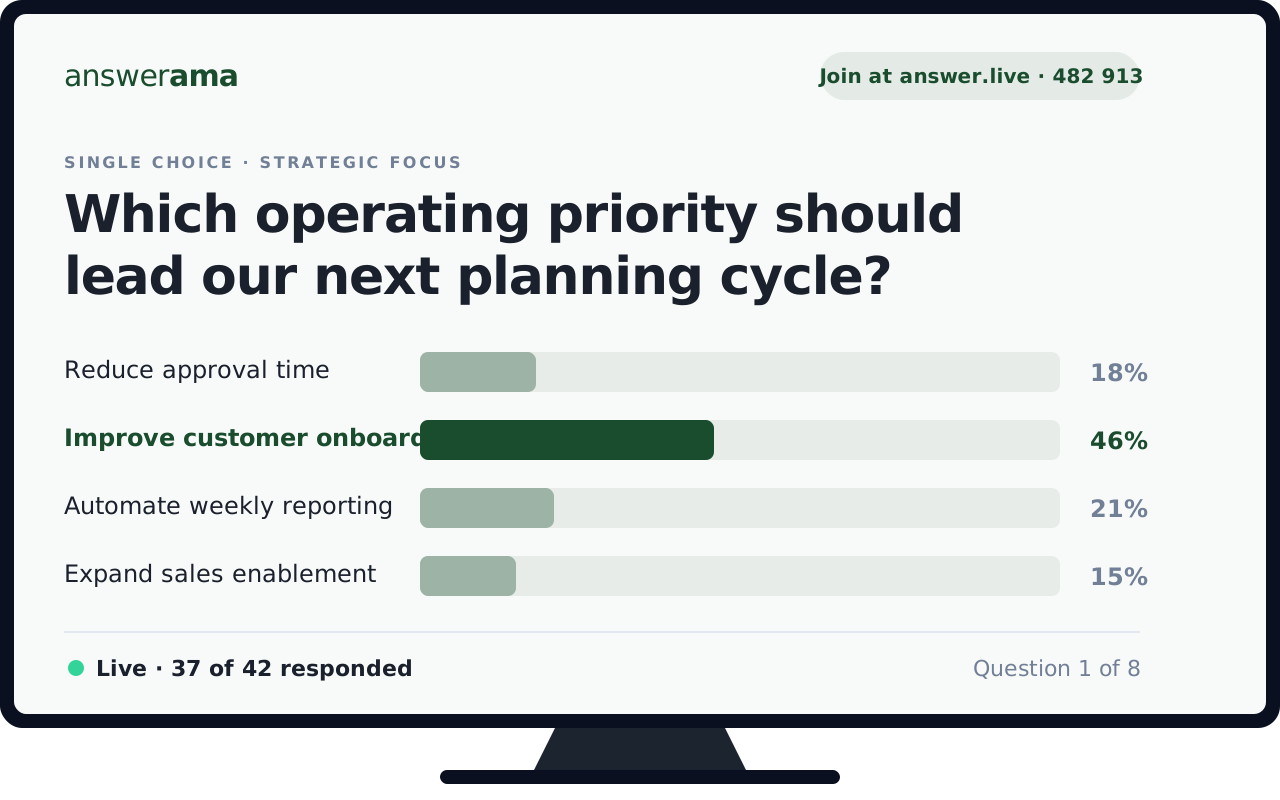
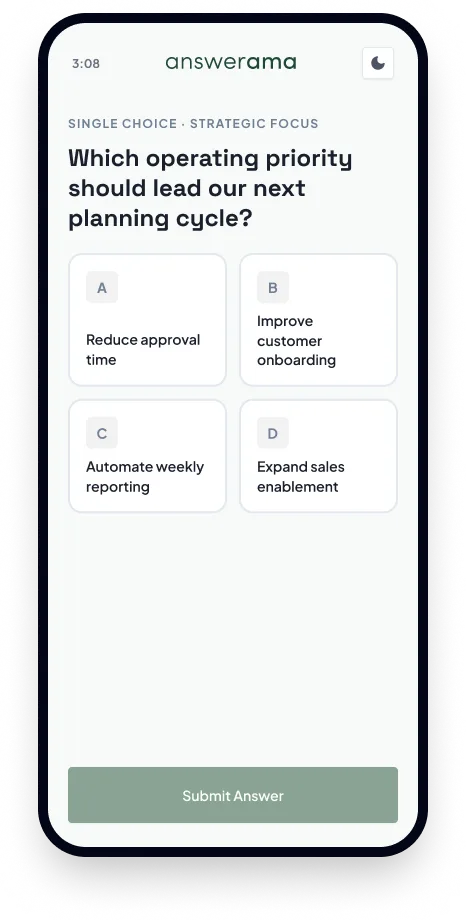
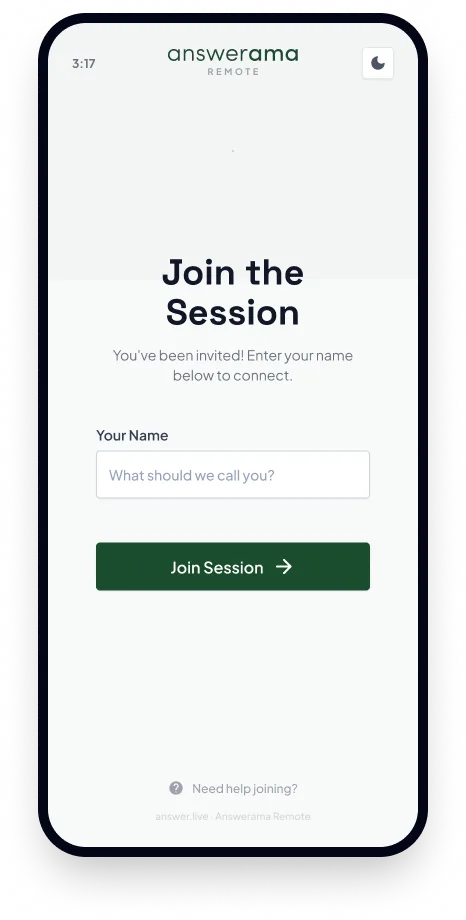
Participants join in the browser with a 6-digit code or QR code, with no app and no account. The facilitator runs the session from a desktop app, and a second screen shows the room the question and the live results.
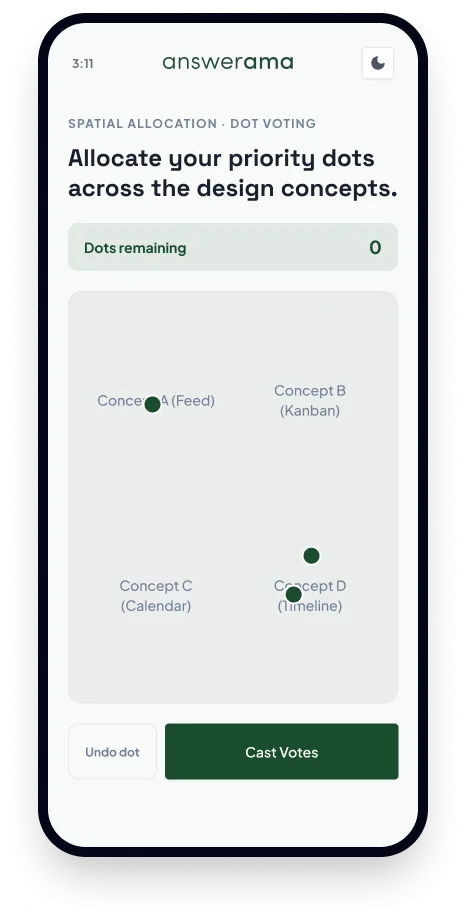
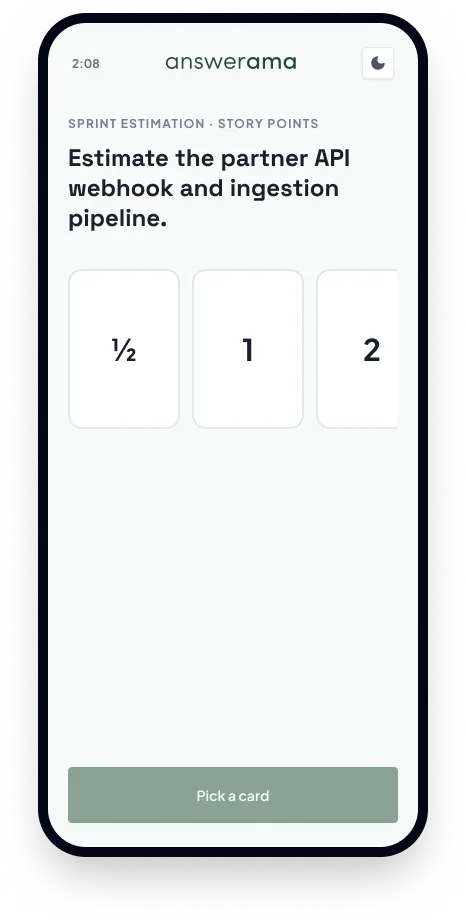
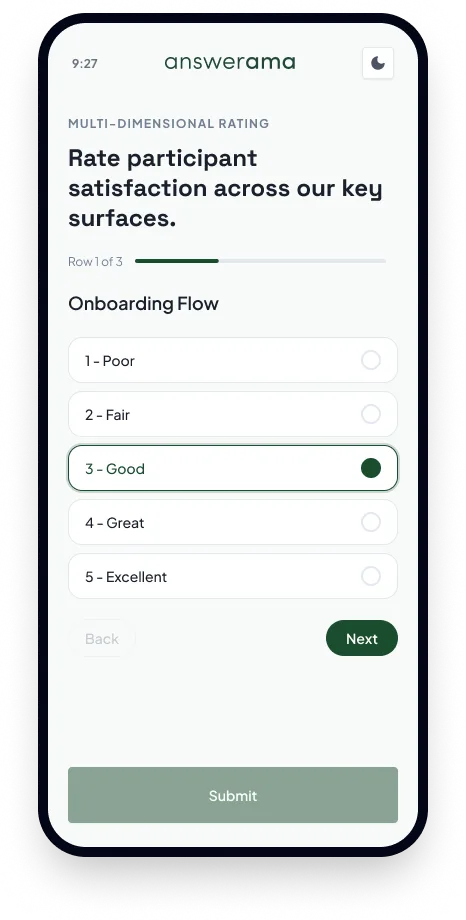
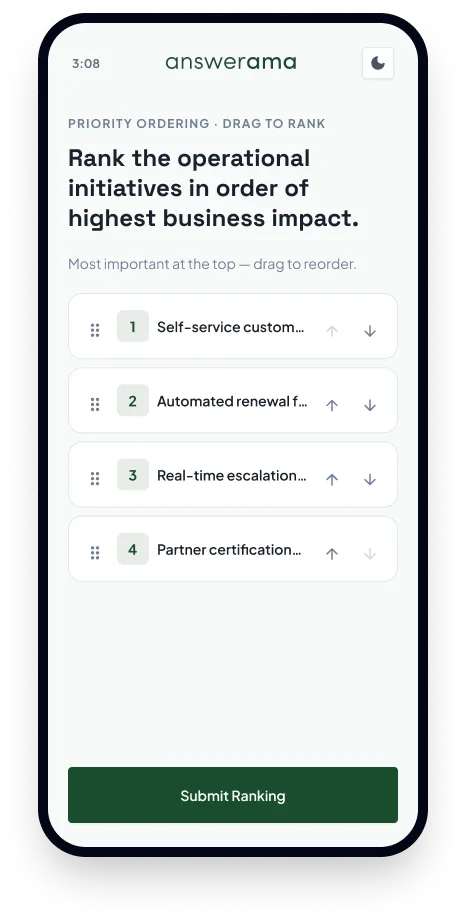
Every prompt is a typed block. The library grew beyond quizzes and polls to cover the exercises that were being run by hand, such as dot voting, Kano and SWOT.
 Multiple choice
 True/False
 Yes/No
 Poll
Poll Dot voting
 Rank voting
 Planning poker
 Likert scale
 Rating
 Semantic differential
 Matrix
 2x2 quadrant
 Kano model
 SWOT analysis
 Journey curve
 Card sort
 Word cloud
 Open-ended
 Short answer
 Q&A board
 Figma prototype
 Image
Image Text
Text Section
Try it. Three questions, three question types, written for someone hiring a product designer. Your answers stay in your browser.
Single choice · Hiring signal
What most separates exceptional product designers from good ones?
The four products share one account, one session lifecycle and one set of question types. Each targets a different buyer.
Workshops
For independent facilitators and training leads. Structured exercises such as dot voting and retrospectives, with results a facilitator can hand to a client. From $8.99 a month billed annually.
CrowdWorks
For hosts of town halls and conferences. Games, polls and Q&A on a big screen, joined from any phone.
UserWorks
For designers without a dedicated researcher. Preference and prototype tests with Figma embeds, A/B variants and click heatmaps. A $12.99 a month add-on.
JuryWorks
For litigation teams. Juror questionnaires with Likert scoring, case prep and exportable reports. A $179.99 a month add-on, sold through demos.
Choosing a position, then building the product to match it.
The work started with sketches of the participant flow, because that screen had to work for a stranger holding a phone.
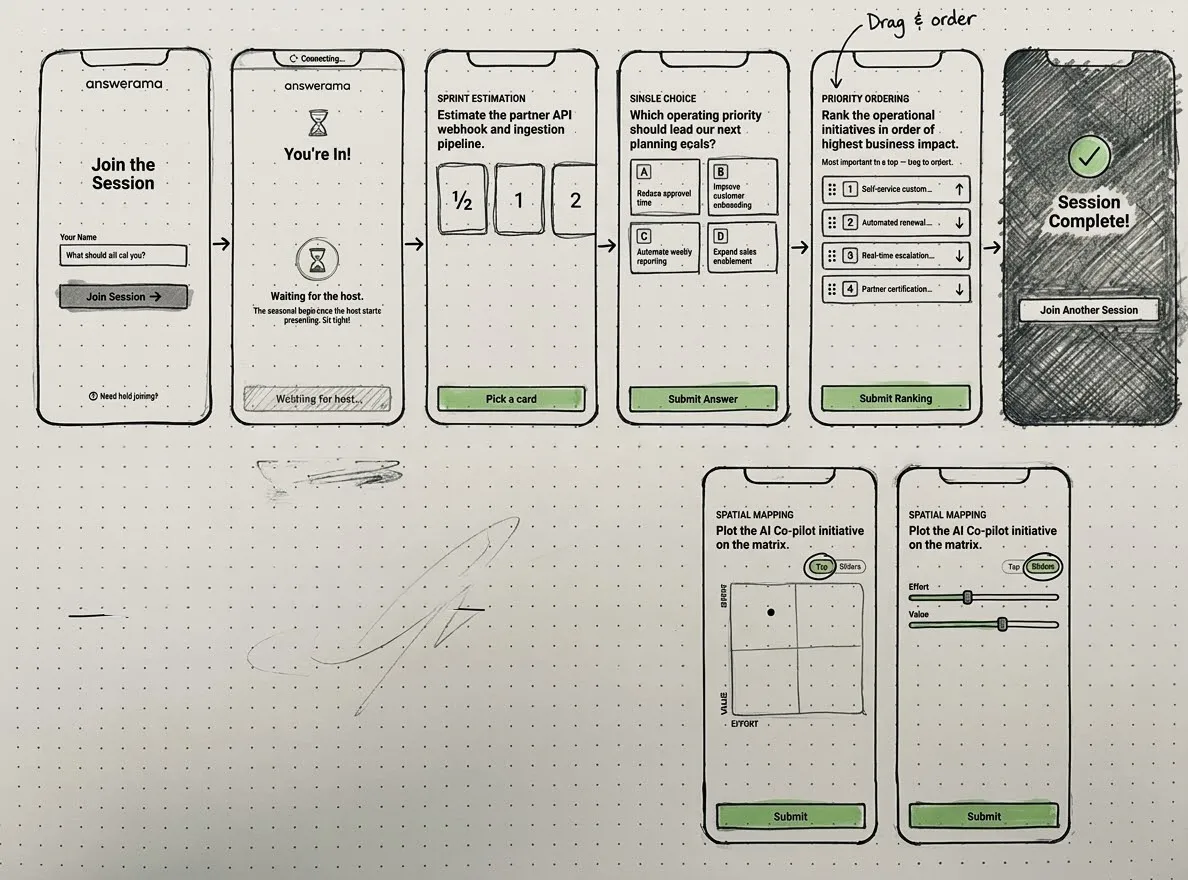
The May 2026 audit tested the positioning against seven competitors. It concluded that Answerama should not try to be the best live poll tool. It should sell one account that covers live engagement, research and jury work, and compete on price where that holds. Single User starts at $8.99 a month billed annually, and the three tools whose prices were recorded charge between $12 and $19.
The audit also found that the competitors’ customer logos could not be matched. It recommended publishing pricing openly and leading with product demos instead of borrowed statistics, and the storefront follows that.
| What the market assumed | What was decided |
|---|---|
| Engagement means games, with points, countdown music and avatars. | People engage when they can contribute. Games stay as one mode among several. |
| Each job gets its own tool, with polls in one place, quizzes in another and workshops somewhere else. | One session model serves every job. Every session moves from Draft to Active to Ended, whatever the type. |
Five decisions that shaped the product.
Decision 1: Joining without an account
Every login step costs a facilitator minutes in a live room. Participants join with a 6-digit code or QR code and no app. Facilitators and admins still sign in with accounts, and Team accounts can use SSO. The free tier allows 50 participants per session, so a facilitator can run a real client session before paying. Quizzes remain one mode, but the product uses a muted green palette and plain type so it never reads as a game show.
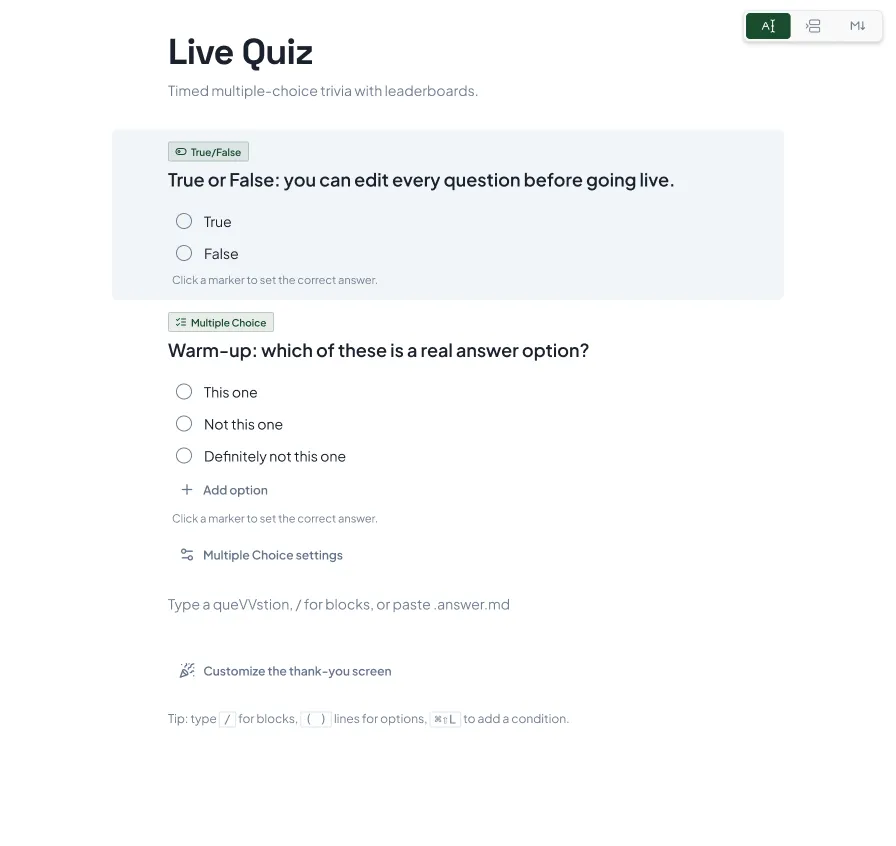
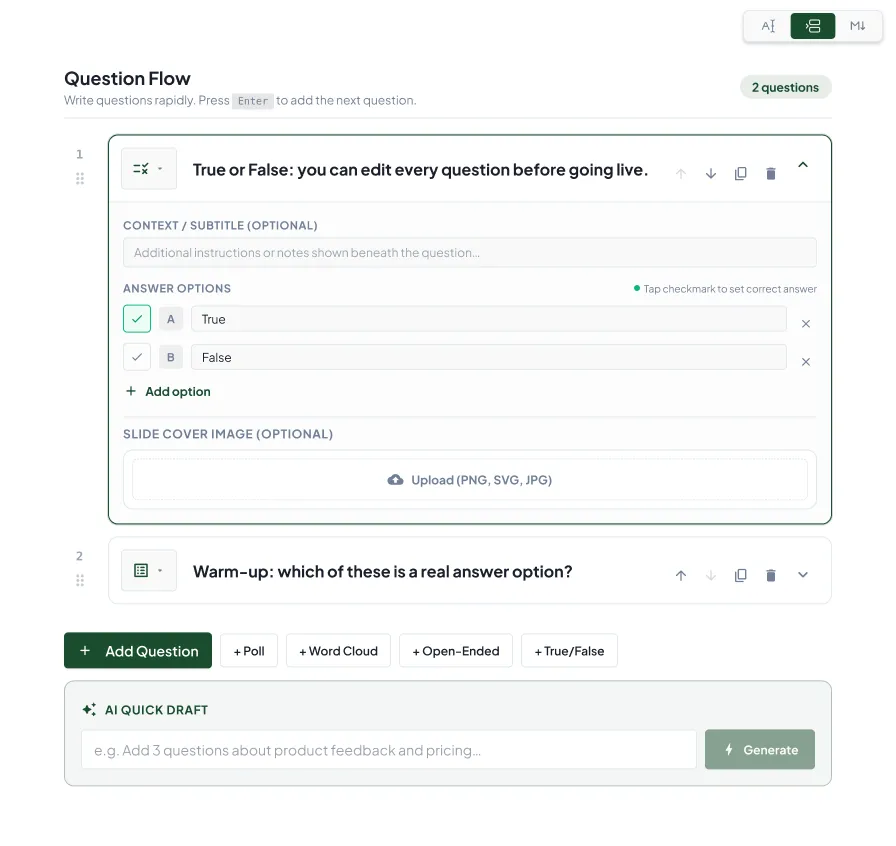
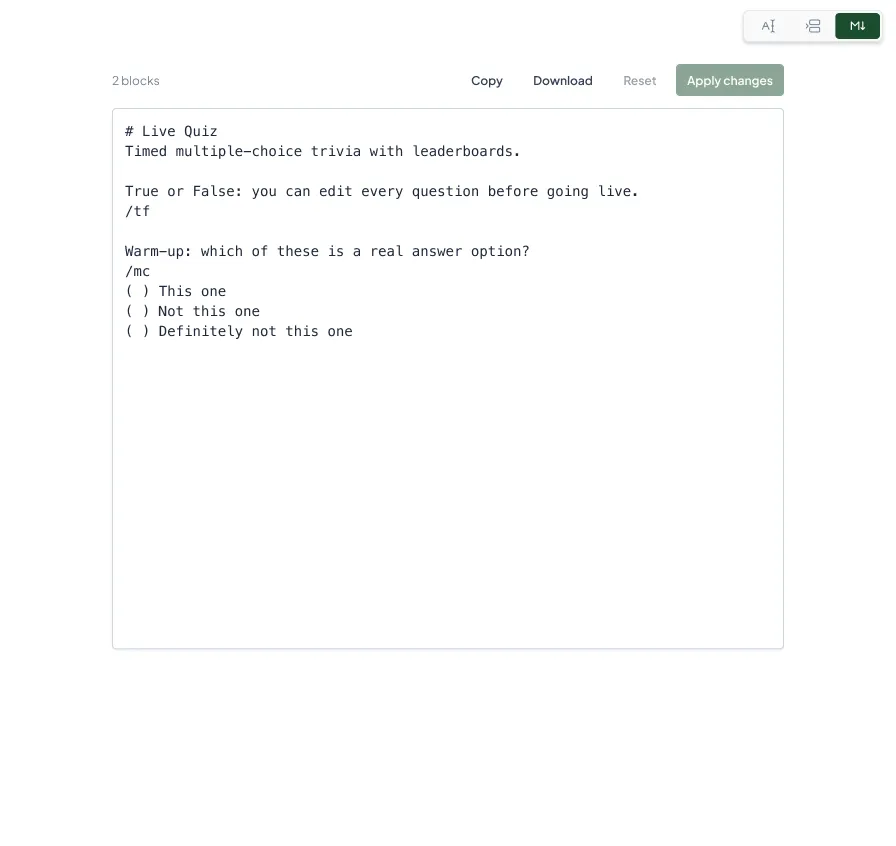
Decision 2: Three ways to write the same session
Presenters building ten or more questions with forms stalled on repeated clicking and field focus, and raw text gave no preview of what participants would see. The composer now switches between a document editor with slash commands, a card deck for reordering and attaching media, and plain markdown (.answer.md) for bulk import and AI-generated sets. In testing, people preferred the document view.
Decision 3: Keeping the phone out of the way
In testing, people looked down at their phones instead of at the room, because the phone repeated the prompt and added decoration. The phone was cut down to the controls needed to answer, and the question and results were left on the shared screen. Each participant also has a token stored on their device, so after a Wi-Fi drop the page reconnects in the background, restores their state and shows the current question.
Decision 4: A registry of question types, not a page per type
An August 2026 audit of the first version counted 18,000 lines in the desktop app and 15 separate participant pages in the mobile app, one for each question type. The per-type pages were replaced with a registry of question-type modules and a single participant renderer. Adding a type no longer requires a new page in every app.
Decision 5: A business model that matches the architecture
The product had to work for a facilitator paying with a personal card and for a company that requires single sign-on. The tiers differ mainly in participant cap and in the administration features a larger account needs.
| Tier | Price | Participants per session | What it adds |
|---|---|---|---|
| Free | $0 | 50 | Polls, surveys and Q&A, plus API access and the MCP server. |
| Single User | $11.99 a month, or $8.99 a month billed annually | 250 | Quiz, brainstorming and retrospective modes, custom branding, CSV and PDF export, and team management. |
| Team | $39.99 a month, or $29.99 a month billed annually | 500 | SSO and SAML through WorkOS, SCIM provisioning, a custom domain, and a dedicated account manager with an SLA. |
A session never stops accepting people at its cap. Everyone can join and every answer is stored. Results, reports and exports include the first 50, 250 or 500 participants by join order, depending on the plan, and the rest are stored and shown as locked until the account upgrades. Locked answers from Free sessions are deleted 30 days after the session ends. This was chosen over a hard cutoff because locking people out mid-session would hurt the facilitator, who is the paying customer. There is no overage fee, and accounts that need more than 500 participants talk to sales.
JuryWorks costs $179.99 a month and the User Testing Suite costs $12.99 a month. The plan is to land with an individual who runs a free session, then expand to a team that needs shared administration, a custom domain or SSO.
Hosting follows the same logic. The data layer was moved from Supabase to Cloudflare D1, because every API request was paying for a network hop to a second provider and Supabase Pro would have added $25 a month on top of the $5 Workers plan. Each live session runs in its own Durable Object with WebSocket hibernation, so idle sessions cost almost nothing and the plan projected about $5 a month in fixed infrastructure cost. Before anyone was invited in July 2026, the live deployment was audited, and a login bug, a participant app that still pointed at localhost and a blocked WebSocket policy were fixed. The full loop from sign-up to exported results was then run.
What exists now.
- A desktop host app, a phone-based participant app, a presentation display and an admin portal, running on Cloudflare Workers, Pages and D1.
- Billing through Stripe, single sign-on through WorkOS and transactional email through Resend.
- Rankings and summaries are calculated when a question closes, and results export to CSV, JSON or PDF.
- A REST API with API keys and an MCP server, so a user’s own AI editor can create and edit question sets.
- Add-ins for Teams, Zoom and PowerPoint are scaffolded and can be sideloaded. They are not yet published in the vendor marketplaces.
No adoption numbers are available yet. The audit recommends publishing measured figures, such as participants per session and response rate, once enough sessions have run.
What was learned.
Deciding where each question type ends. Every interaction that could be built had to be weighed against keeping the phone usable on a 375px screen and against the cost of maintaining one more type.
The business structure and the product structure needed to match. Keeping the session engine separate from the add-ons made the pricing tiers, the navigation and the codebase easier to extend.
Publish the Teams, Zoom and PowerPoint add-ins in their marketplaces, and add Jira and Linear integrations so ideas from a brainstorm become tickets without retyping.